
Grants and Funded Programmes
Built Environment Productivity Solutions Grant (PSG)
Type
Productivity
Discover the Productivity Solutions Grant (PSG). Learn about the eligibility, scope of support, funding, and application process.

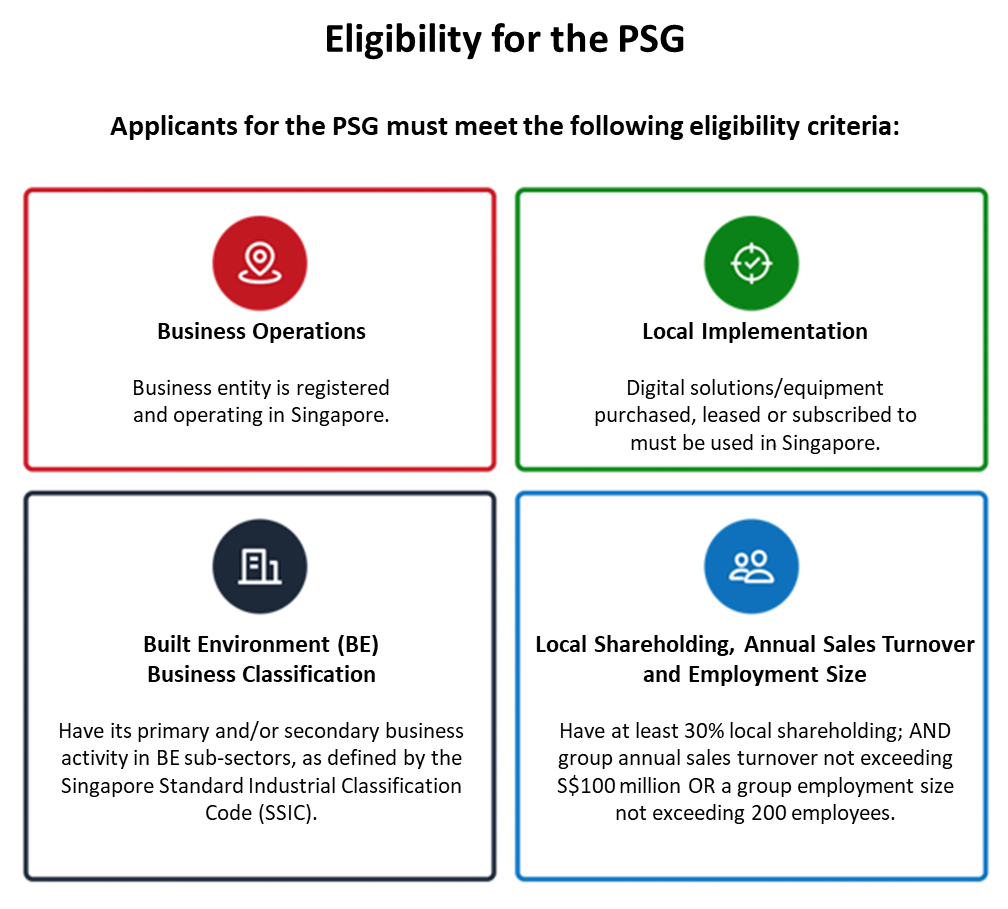
The Built Environment Productivity Solutions Grant (PSG) aims to enhance firms’ productivity and support their digital transformation journey. The PSG supports local Small and Medium-sized Enterprises (SMEs) in building digital capabilities and adopting pre-approved digital solutions under the Built Environment Industry Digital Plan (BE IDP).
A new tranche of the PSG for the Built Environment is available from 1 April 2026 to 31 March 2031. The enhanced PSG will introduce more pre-approved digital solutions and expand to include advanced equipment such as robotics and automation (R&A), supporting SMEs to build more advanced capabilities and achieve greater productivity.
Funding support
For applications submitted from 1 April 2026 to 31 March 2031:
Local SMEs can receive co-funding of up to 50% of the qualifying costs for
Pre-approved digital solutions; with a grant cap of $50,000 per firm over the 5 years period; and
Pre-approved advanced equipment; with a grant cap of $300,000 per firm over the 5 years period
SMEs can make multiple PSG applications during this period, subject to a funding caps.
Important Notes:
Firms must not have signed or confirmed a contract, made payment and/or any form of deposits to a supplier, vendor or third party in relation to the purchase/subscription/lease of the solution prior to application submission.
Each firm may not apply for the same solution more than once, including any solutions supported under previous tranches of the PSG for the Built Environment.
Multiple licenses under the same application must commence on the same date.
The submission of an application does not automatically entitle the applicant to funding. All applications will be subject to evaluation and approval. Applicants may be required to submit additional supporting documents to facilitate evaluation of the application.
Third party companies are not allowed to apply or manage the grant on behalf of applicant companies.
Application
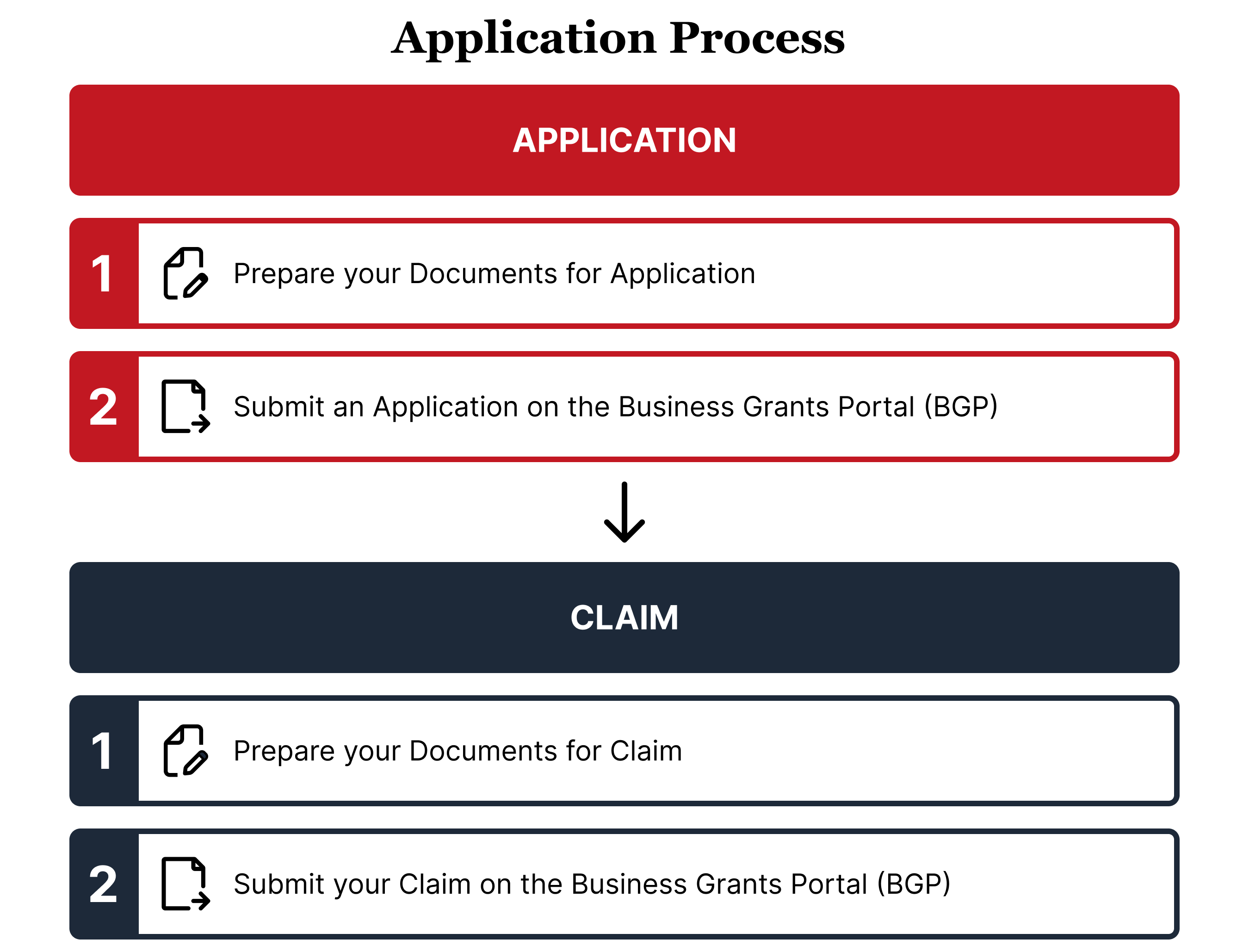
Stage 1: Prepare your documents for application
Documents required
(i) Quotation
Visit the GoBusiness website to view the list of supportable solutions.
Obtain a quotation from the pre-approved vendor for your chosen solution. Please ensure that the items and cost stated in the quotation align with the Solution Packages* details.
* Refers to solution package details under each solution listing on the GoBusiness website.
(ii) Company’s financial statements
Upload your company's financial statements for the past 3 years under your Company Profile. If your company belongs to a corporate group*, please also upload:
Ultimate corporate group financial statements for the past 3 years
ACRA bizfile of holding companies and/or subsidiaries
* A corporate group is made up of the applicant, holding companies owning >50% of the applicant, and subsidiaries that the applicant owns >50% of.
(iii) Digital Health Check Result
To assess your company's digital readiness, please complete the following steps:
Complete the assessment test (Under ‘Sector’, select ‘Built Environment’)
Take a screenshot of your ‘Digital Readiness Result’ showing your score and details
Add your company stamp or logo to the screenshot.
(iv) Letter of Award or Signed Contract
Submit the Letter of Award / Signed Contract for a local project that you are intending to use the solution, if you are not deploying the solution at your company’s ACRA registered address
Stage 2: Submit an application on the Business Grant Portal (BGP)
Log in to the Business Grants Portal with your Corppass to apply for the PSG. You may refer to the following guides for any help needed.
Application will be processed within 30 working days upon submission of complete documents.
If your application is approved, you will be notified via email to receive your Letter of Offer on BGP. Please accept it under the “Updates Required” tab in “My Applications” on BGP.
Claim
Before you continue, please ensure that your solution:
Is purchased or subscribed as approved in the application
Has been used for at least 1 month
Has been paid in full
Stage 1: Prepare your documents for claim
Documents required
(i) Endorsed quotation
The details in the endorsed quotation should be identical to the one you submitted during application.
(ii) Invoice
The invoice should be for the purchase/subscription/lease of the solution that was stated in the Letter of Offer.
(iii) Payment documents
These may include, but not limited to, bank statements, bank transaction details, receipt. These documents should reflect the payer’s and receiver’s identity and details, payment date, payment amount, payment mode and invoice number.
(iv) Screenshot of the software license number and/or hardware serial number
Software: Submit a clear screenshot of the software license number(s) with the start and end dates visible.
Hardware: Submit a clear screenshot of the hardware serial number(s) and the model number.
If the software/hardware has no license/serial number, obtain a letter from the vendor stating that there is no license/serial number for the solution.
(v) Usage report and User List (for digital solution only)
Provide a usage report generated from the solution for at least one month, displaying the dates of usage across the entire month, along with the user list.
(vi) Delivery Order (for advanced equipment only)
The delivery order should be for the purchase/subscription/lease of the solution that was stated in the Letter of Offer. It should include information such as model type, quantity, serial number(s).
(vii) Digital Health Check Result
To help us understand how this solution has helped your company, please retake the assessment test:
Complete the assessment test (Under ‘Sector’, select ‘Built Environment’)
Take a screenshot of your ‘Digital Readiness Result’ showing your score and details
Add your company stamp or logo to the screenshot
Stage 2: Submit your claim on the BGP
Log in to the Business Grants Portal with your Corppass to submit your claim. You may refer to the PSG Claims guide for any help needed.
If your claim is successful, you will be notified via email, and the approved claim will be disbursed via Vendors@Gov.
If you do not have a Vendors@Gov account, please visit Vendor@Gov website to set one up.
Be a PSG Pre-Approved Vendor
If you would like to become a pre-approved vendor for the Advanced Equipment* under the PSG, please follow the process outlined below. For digital solutions, please visit this site instead.
Stage 1: Prepare your documents
Documents required
(i) Company's Financial Statements
Provide your company's latest ACRA profile and financial statements.
(ii) Equipment Details
To help us understand your equipment better, please provide the product specifications, brochures and photographs of it.
(iii) Customer Testimonials
Provide 5 written testimonials from your local customers regarding your equipment. Where insufficient local testimonials are available, overseas customer testimonials may be provided. BCA reserves the right to make final decisions on all submitted testimonials.
Stage 2: Submit the relevant information
Submit your application via this form. You may refer to the Pre-Approval Guide and the Terms & Conditions for more information. Your application will be reviewed, and you will receive notification of the outcome via email.
*Advanced Equipment may include wall-finishing robots, material transporters, tile grouting robots, concrete finishing robots, drilling and anchoring robots, tiling robots, rebar tying robots, welding robots, ALC panelling robots, floor grinding/coating/screeding robots, marking robots, demolition robots, cleaning robots.
Please note that the equipment listed above are examples of items that may be considered. Final approval of any equipment will depend on BCA's assessment of your specific application and prevailing guidelines.
For more information on the PSG, please contact:
Tel: 1800-342-5222